Athlete banners worth looking up at.
Full-color 2′×4′ banners of your athletes — printed with long-lasting inks, ready for the gym wall or the stadium fence, with grommets in all four corners. From one senior to the whole roster.
One banner or the whole team
- Two standard sizes — custom sizes available too
- Full-color print with long-lasting, fade-resistant inks
- Safe for indoor or outdoor use
- Grommets come standard in all four corners — hang them anywhere
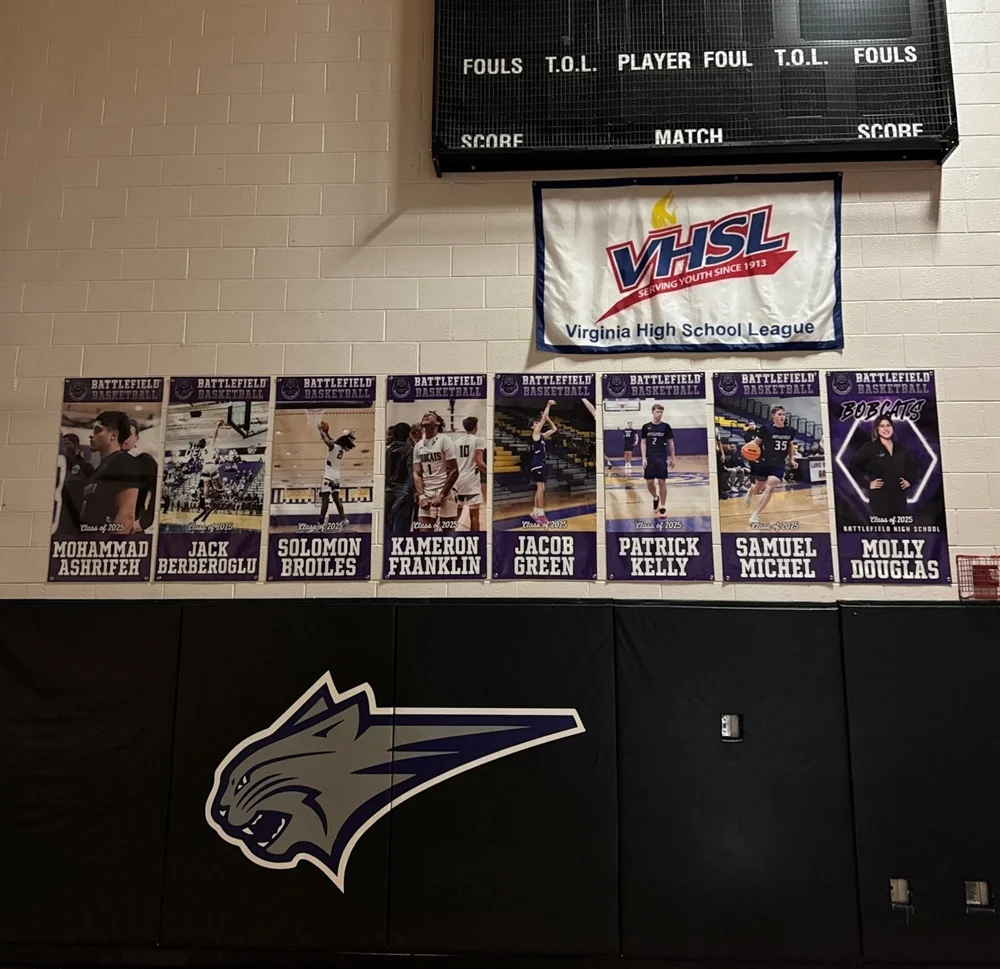
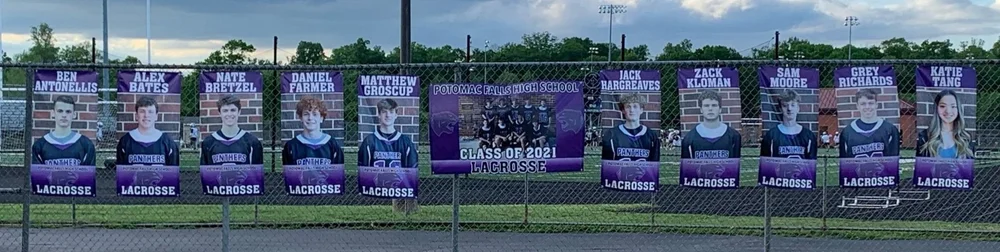
A couple of recent designs


The photo makes the banner
A 2′×4′ banner blows your photo up to poster scale — sharp originals look incredible, and low-res shots turn blurry fast. Nine quick tips (mostly for iPhone, with Android equivalents) that make the difference.
Turn on high resolution
iPhone: Settings → Camera → Formats → ProRAW & Resolution Control saves photos at up to 48 megapixels instead of the standard 12–24. Android: switch the camera to its full-resolution (48/50MP) mode.
Use the 1× lens only — never pinch to zoom
Digital zoom destroys resolution. If the athlete needs to be bigger in the frame, walk closer — your feet are the only zoom that doesn’t cost quality.
Leave breathing room
Don’t crop tight in the viewfinder. Leave plenty of space above the head and below the feet so we have room to cut the athlete out and position them on the banner design.
Mark your spots
Shooting the whole team? Tape an X on the ground for the athlete and another X for the photographer, and use the same two spots for every shot. Identical distance means every athlete comes out framed and scaled the same — so the finished banners look uniform hanging side by side.
Wipe the lens
It sounds silly, but a smudged camera lens is the number one cause of blurry, glowing, “soft” phone photos. One wipe on a shirt fixes it.
Find good light
Daylight beats gym light every time. Shoot outdoors when you can, keep the sun behind the photographer, and avoid heavy backlight — a silhouette can’t be fixed later.
Skip Portrait mode
Portrait mode’s fake background blur chews up the edges we need clean — hair, helmets, stick heads. Shoot in standard Photo mode; we’ll handle the background.
Tap to focus
Tap the athlete on screen before you shoot so the camera locks focus on them, not the background. For action shots, hold for burst and pick the sharpest frame.
Send the original file — not a text or screenshot
Text messages and social apps crush photo quality. Send originals by AirDrop, email at “Actual Size,” or a Google Drive / Dropbox link — never a screenshot.
If the photo came from a text thread, a screenshot, or a social media download, it’s already lost most of its quality. When in doubt, send us the file straight from the camera roll — we’ll tell you fast if it’ll hold up at banner size.
Ready to hang some banners?
Tell us your sport, your count, and your timeline — and send those camera-roll originals. We’ll take it from there.